 JoinPal
How to play checkers online with a friend
Open JoinPal, choose Checkers, a rule set and a friend as your opponent, then send your friend the invitation link. The game starts as soon as they accept. You can play English, Russian, Brazilian or International rules, free and with nothing to install.
Play in TelegramStep by step
- Open JoinPal
Tap Play on this page or open @Joinpalbot in Telegram. JoinPal opens in a few seconds on your phone or computer.
- Choose Checkers
Tap Checkers on the home screen, choose a friend as your opponent and pick the rules: English, Russian, Brazilian or International.
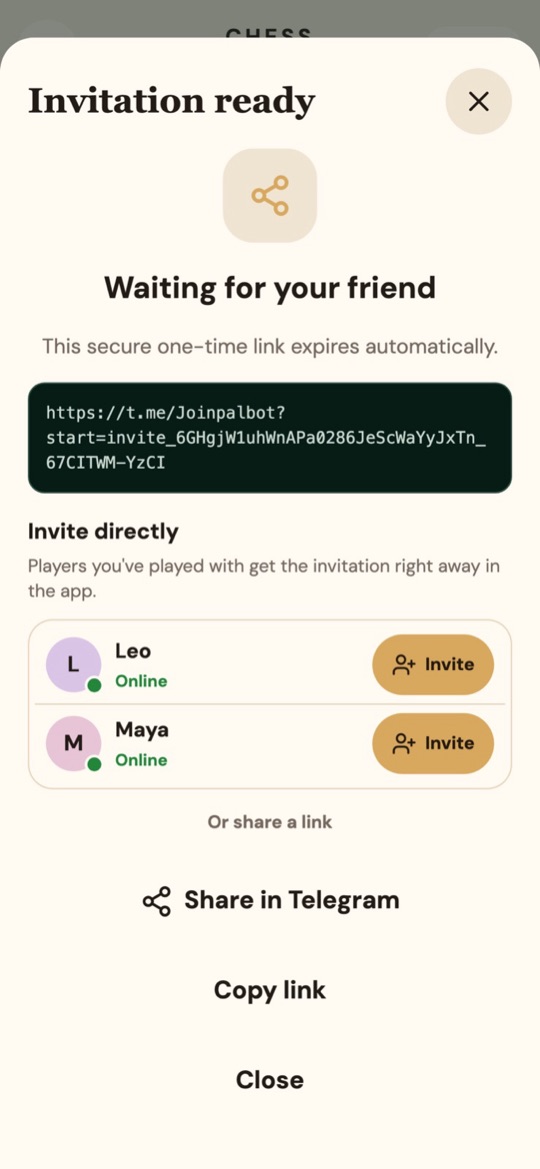
- Invite your friend
Create the invitation and send the one-time link, or invite someone you have played before directly in the app.
- Play
When your friend accepts, the board opens for both of you. The server accepts only legal moves, so when a capture is possible you must take it.
The rules in short
Pieces move diagonally forward on the dark squares and capture by jumping over an opponent's piece. Capturing is compulsory. A piece that reaches the far row becomes a king. You win when your opponent has no pieces left or cannot move.