 JoinPal
How to play chess online with a friend
Open JoinPal, choose Chess and a friend as your opponent, then send your friend the invitation link. The game starts as soon as they accept, with a clock kept by the server. It is free, and there is nothing to install.
Play in TelegramStep by step
- Open JoinPal
Tap Play on this page or open @Joinpalbot in Telegram. JoinPal opens in a few seconds on your phone or computer.
- Choose Chess
Tap Chess on the home screen and choose a friend as your opponent. Pick your colour, the clock and whether the game is rated.
- Invite your friend
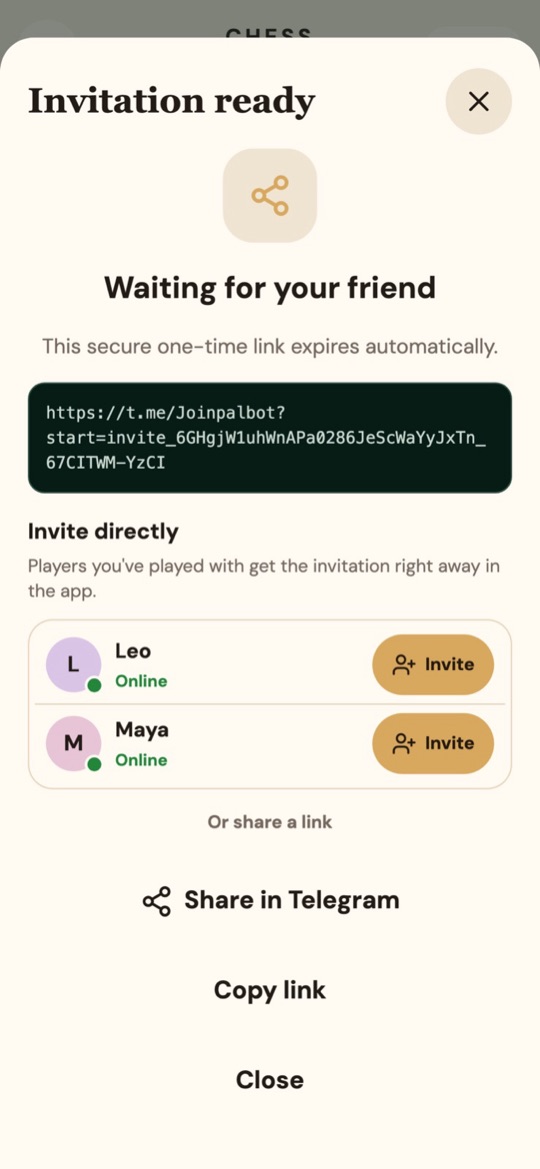
Tap Create invite and send the one-time link, or tap Invite next to someone you have played before: they get the invitation in the app straight away.
- Play
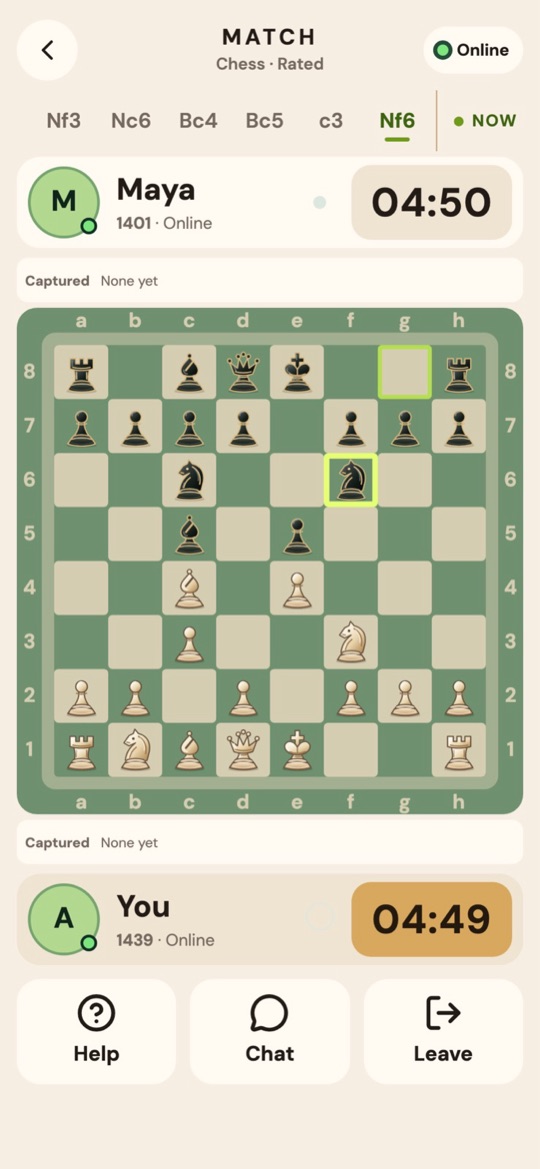
When your friend accepts, the board opens for both of you. Every move is checked by the server, and you can chat during the game.
The rules in short
Each player starts with 16 pieces, and White moves first. The goal is checkmate: attacking the opponent's king so that it cannot escape. A game can also end by resignation, on time, or in a draw.