 JoinPal
How to play tic-tac-toe online with a friend
Open JoinPal, choose Tic-tac-toe and a friend as your opponent, then send your friend the invitation link. The game starts as soon as they accept, on the classic 3 × 3 board or the bigger 5 × 5 board. It is free, and there is nothing to install.
Play in TelegramStep by step
- Open JoinPal
Tap Play on this page or open @Joinpalbot in Telegram. JoinPal opens in a few seconds on your phone or computer.
- Choose Tic-tac-toe
Tap Tic-tac-toe on the home screen and choose a friend as your opponent. Pick X or O and the board size.
- Invite your friend
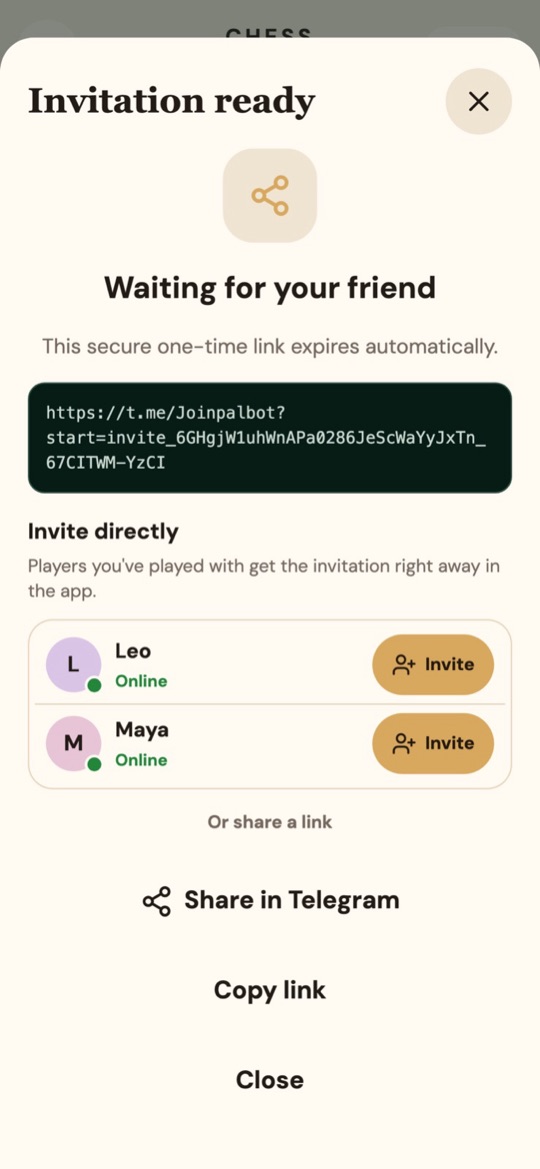
Tap Invite a friend and send the one-time link, or tap Invite next to someone you have played before: they get the invitation in the app straight away.
- Play
When your friend accepts, take turns marking empty squares. After each round you can play again, and the marks swap.
The rules in short
X always moves first. Get three of your marks in a row on the 3 × 3 board, or four in a row on the 5 × 5 board, across, down or diagonally. If the board fills up without a line, the round is a draw.